

ARAM, Mayhem and Swiftplay join the draft
Desktop app
Available in v1.8.3
Until now, the draft only followed you on Summoner's Rift. With 1.8.3 it covers ARAM, ARAM: Mayhem and Swiftplay.
ARAM and Mayhem
Champion select on the Howling Abyss gets its own screen. Your teammates and the bench sit at the top: one click trades with a teammate or takes a champion from the bench, and each one shows its ARAM winrate so you know what you are taking before you take it.
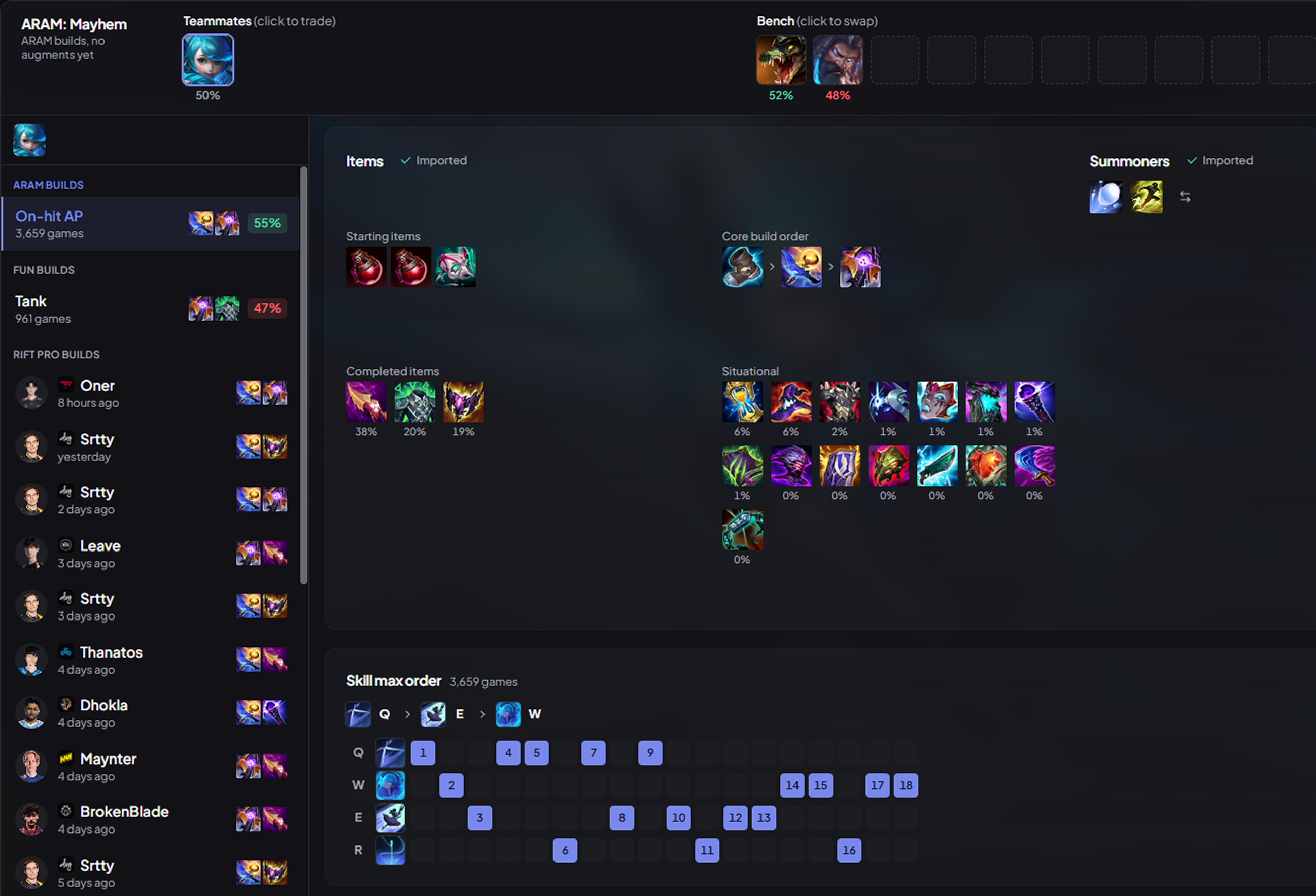 Teammates and bench on top, the ARAM build below.
The builds come from ARAM games, not the Rift: runes, summoners, items and skill order, imported into the client as soon as your champion lands. Swap for another one from the bench and its build follows. In Mayhem, where augments replace runes, the page drops the rune board and gives the whole space to your items.
Augments are on their way. We are working on augment recommendations for Mayhem and Arena: they should land in the app within a month.
Pro builds are still there when you want them: pros barely play ARAM, so they are read from their Rift games, with the ARAM summoners.
Fun builds
ARAM is where you try things. Under the usual builds, a Fun builds section suggests another way to play your champion: AP Thresh, AD Teemo, tank Ezreal… Each one is a style your champion's meta does not play, drawn from games where it actually worked. They are never imported on their own: you pick one when you feel like it.
Swiftplay
In a Swiftplay lobby, you pick two champions before the queue. The app now shows a build for each of them, side by side, and sends both to the client: runes, summoners and items, ready before the game even starts.
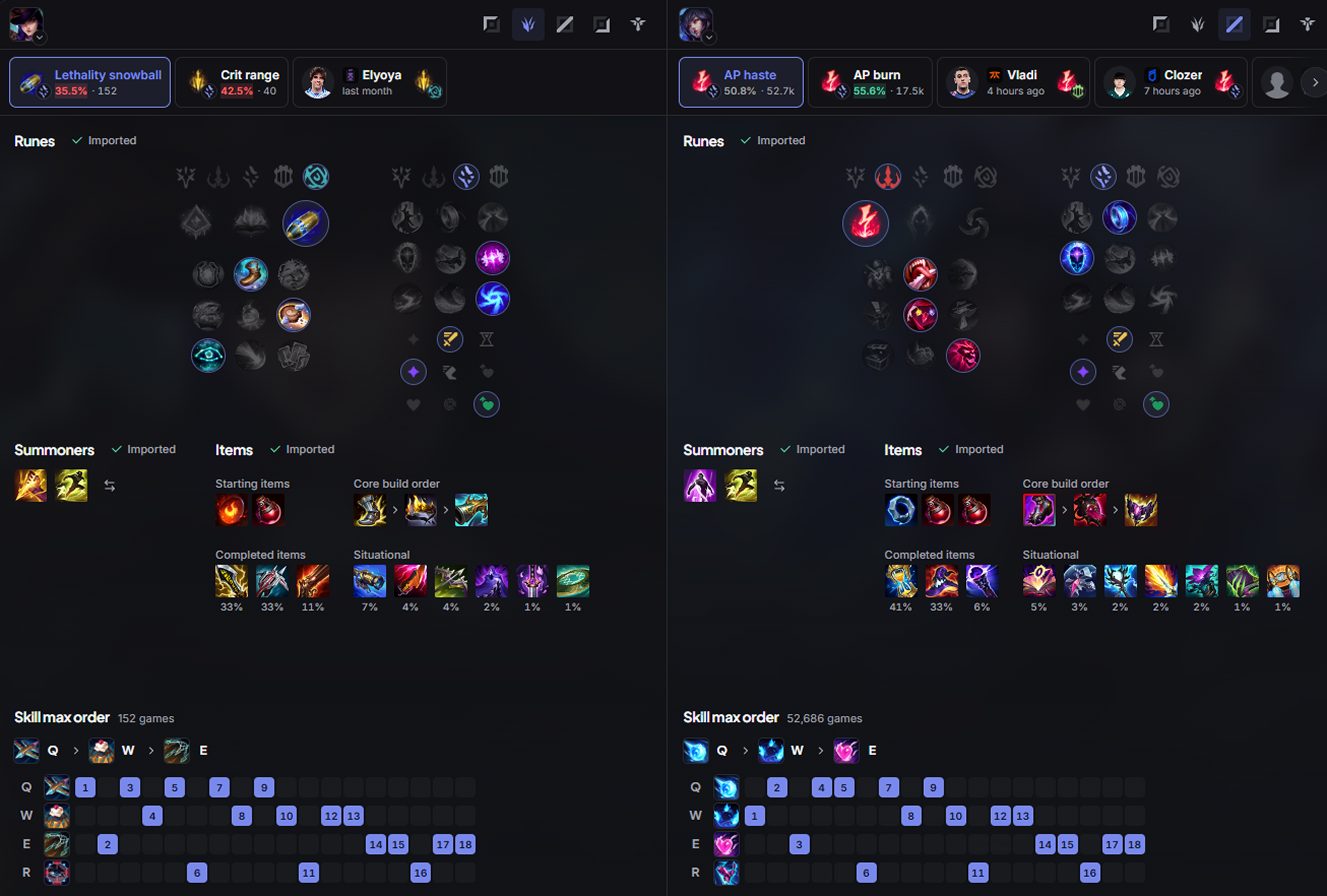 One column per champion, each with its own builds.
Your build, first in the shop
The item set DPM imports now opens first in the in-game shop, ahead of every other app's set, instead of sitting at the bottom of the list. Imported rune pages and item sets are named DPM: …, so you can spot them at a glance.
A welcome for first launch
The first time you open the app, a short onboarding sets it up with you: your language, what the app does, how your overlays look in game (style and background opacity, previewed on the real overlays), and whether to record your games and in which quality. Everything you choose there is a real setting, and you can change it any time.
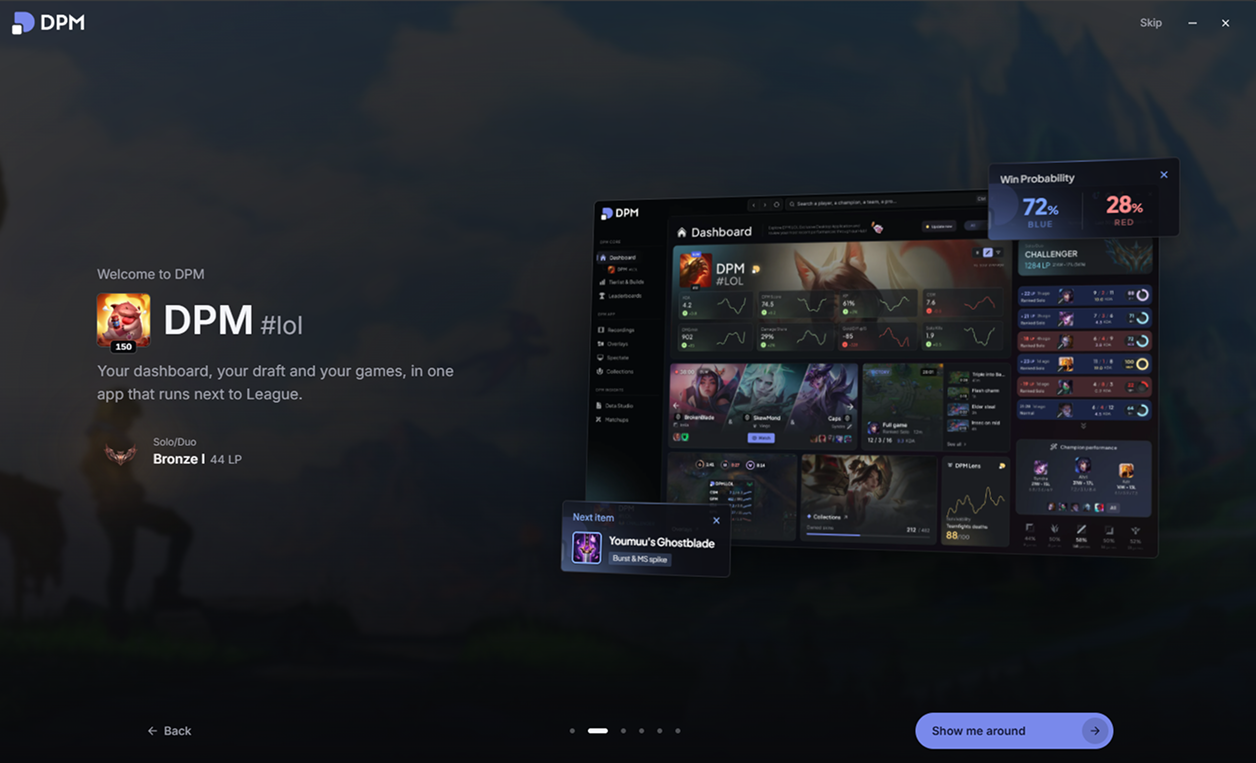 Your account, and a first look at the app.
Fixes & improvements
- FixedLeague no longer steals the front during champion select: after a pick, a bench swap or a build import from DPM, the app takes its place back. Behind the "Take the focus back after a pick or ban" setting.
- FixedJungle and objective alerts show whole seconds instead of timers like "14.3666s".
- FixedThe clip notification no longer reads "0:60" on a clip that is just under a minute.
- ImprovedChanging a setting no longer reloads the whole app, which made the settings and the onboarding stutter.
- ImprovedApp optimizations and lower CPU usage, especially on the dashboard.
- ImprovedThe live game panels get new badges, detect premades, and no longer show the same champion twice when a player is on an anonymous account.