DPMLOLDPMLOL

Get DPM App
Account

Changelog

New updates and improvements to DPM.LOL.

September 24, 2026
Augment tiers in Mayhem, relic timers in ARAM

Augment tiers in Mayhem, relic timers in ARAM

Desktop app

Available in v1.9.0

The last patch brought ARAM and Mayhem to the draft. This one follows you into the game: two new overlays for the Howling Abyss, a proper installer, and a lighter app while you play.

Augment tiers in Mayhem

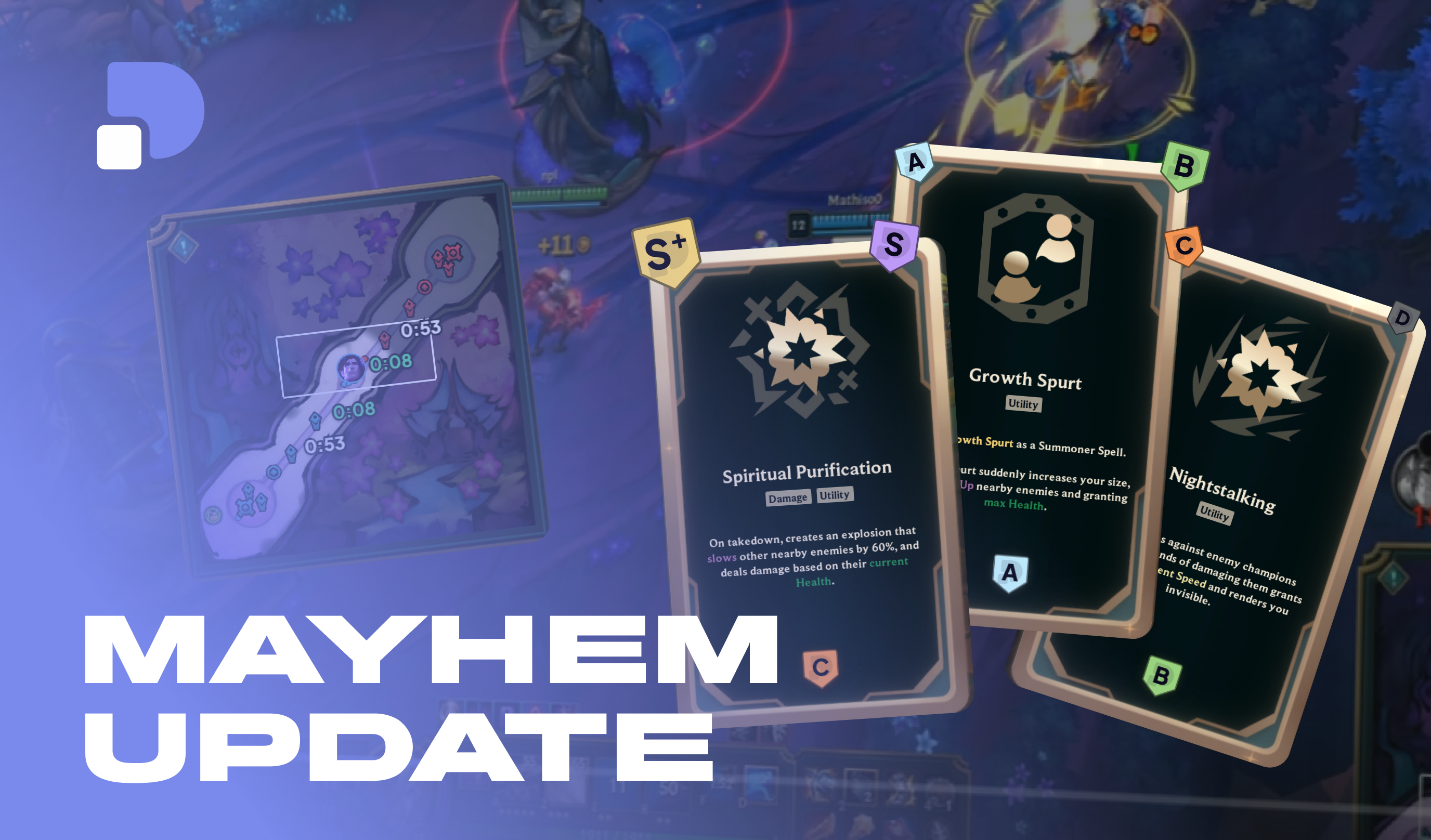
Last time we promised augments within a month. They are here: when the augment pick opens in ARAM: Mayhem, each card shows its tier, ranked for the champion you are playing. The tiers come off as soon as you pick, and stay out of the way the rest of the game.
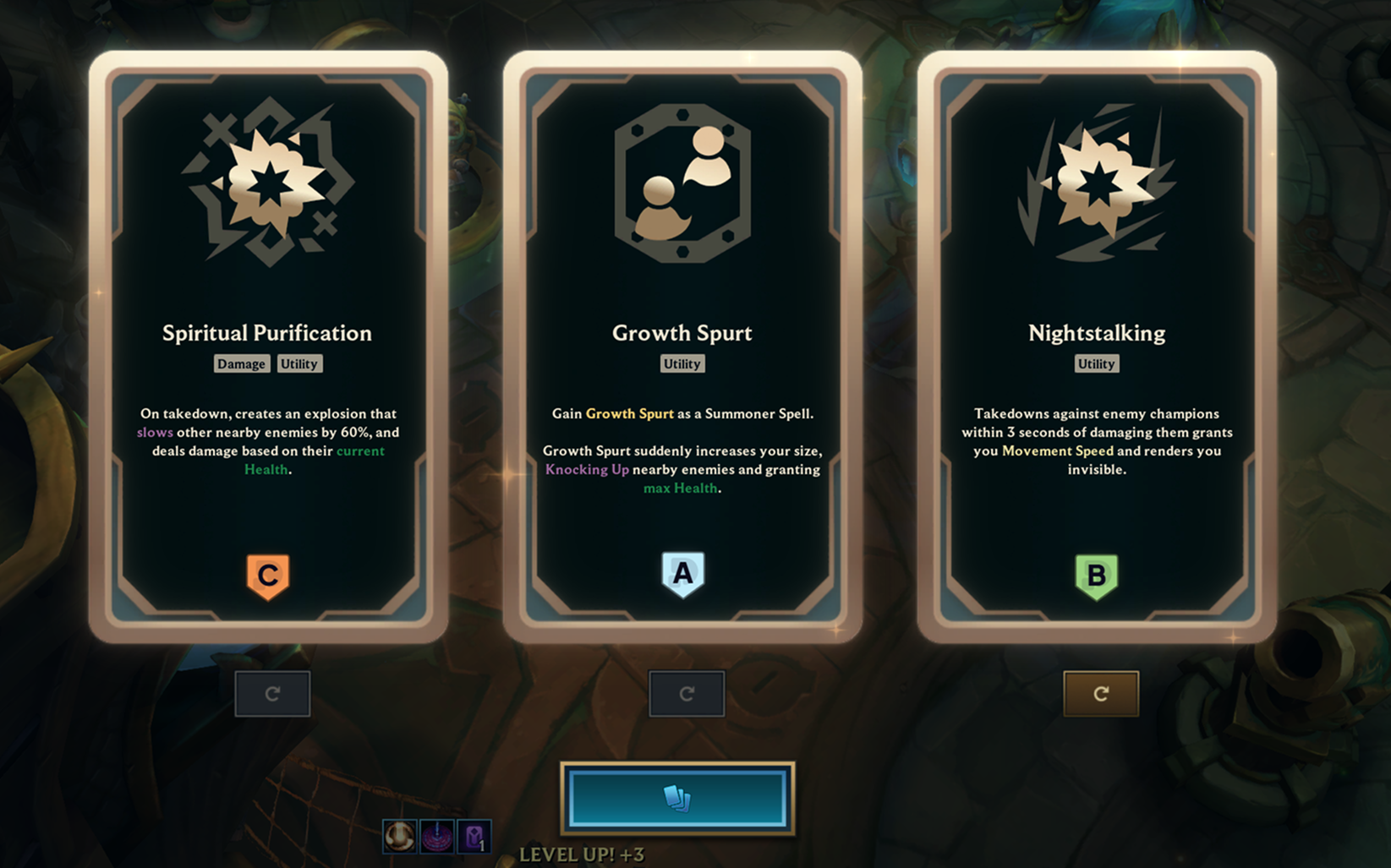
Augment tiers on the Mayhem pick screenEach card gets its tier, for the champion you play.

Six tiers, from S+ for the picks that win games to D for the ones to skip:

The six augment tiers, S+ to D

Health relic timers

On the Howling Abyss, the health relics respawn on a clock nobody keeps in their head. Press Tab: the app reads the relic timers off the scoreboard and puts each one right on its pad on the minimap. A timer turns green in its last ten seconds, and the opening countdowns show from the very start of the game.
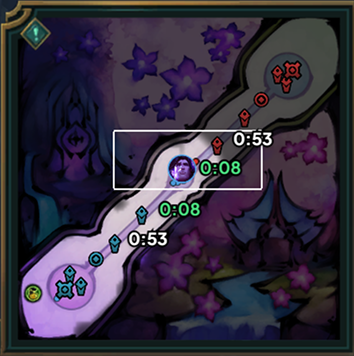
The relic timers on the minimap

Both overlays are in beta, and you switch them on separately in the settings.

CS/min against your opponent

The benchmark can now compare your CS/min to your lane opponent instead of your rank's average: the curve is the CS gap, rising when you pull ahead. When your opponent can't be identified, as in a blind pick, it falls back to your rank. In queues without role select, like Co-op vs AI, the app now guesses your lane (Smite means jungle, otherwise your champion's main role), so the benchmark works there too.
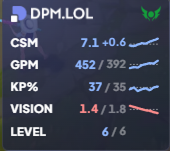
The CS/min benchmark against the lane opponent

Move your panels in game

Drag an overlay panel straight from the game to put it where you want: no need to open the edit mode anymore.

A real installer

The app now installs with a proper setup wizard, into a fixed folder, and updates itself from there. Nothing to do on your side: an existing installation moves over on its own at the next launch, and keeps its "Run as administrator" setting.

Sign in through your browser

Signing in now opens dpm.lol in your browser, where you are probably already logged in, and sends you back to the app once it is done. No Riot page opens inside the app anymore. When nobody is signed in, the app shows a full-window sign-in screen before anything else.
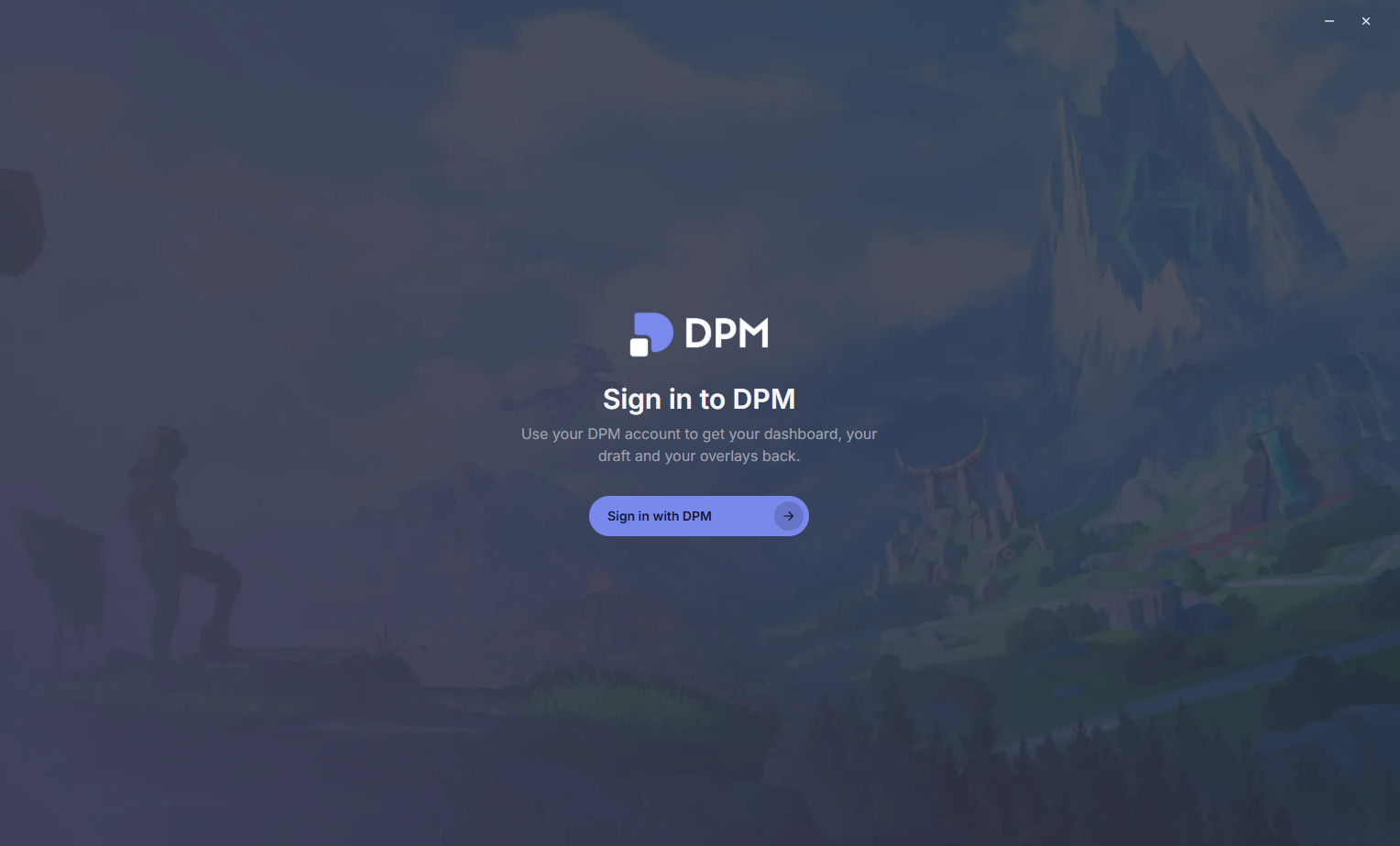
The sign-in screenOne button, and your browser does the rest.

Recorder

  • NewClips and replays are volume-normalized when saved: no more clip twice as loud as the next one.
  • NewThe "clip saved" sound goes up to 200%, for those who play with the game loud.
  • NewA first look at DPM Cloud: sharing a clip with a link is coming.

Fixes & improvements

  • NewThe settings get an Accounts section with your rank and Premium status.
  • NewOnce every pick is locked in, champion select counts down to the game.
  • ImprovedOn Windows 11, the app goes into efficiency mode while you do not look at it: minimized, in the tray, or behind the game. It leaves more of your CPU to League.
  • ImprovedApp performance overhaul.
  • FixedClips of champions with an accented name are named correctly on French clients.
  • FixedClicks recorded for clip markers no longer inflate your measured APM.
  • FixedSigning out from the settings works again.
September 21, 2026
ARAM, Mayhem and Swiftplay join the draft

ARAM, Mayhem and Swiftplay join the draft

Desktop app

Available in v1.8.3

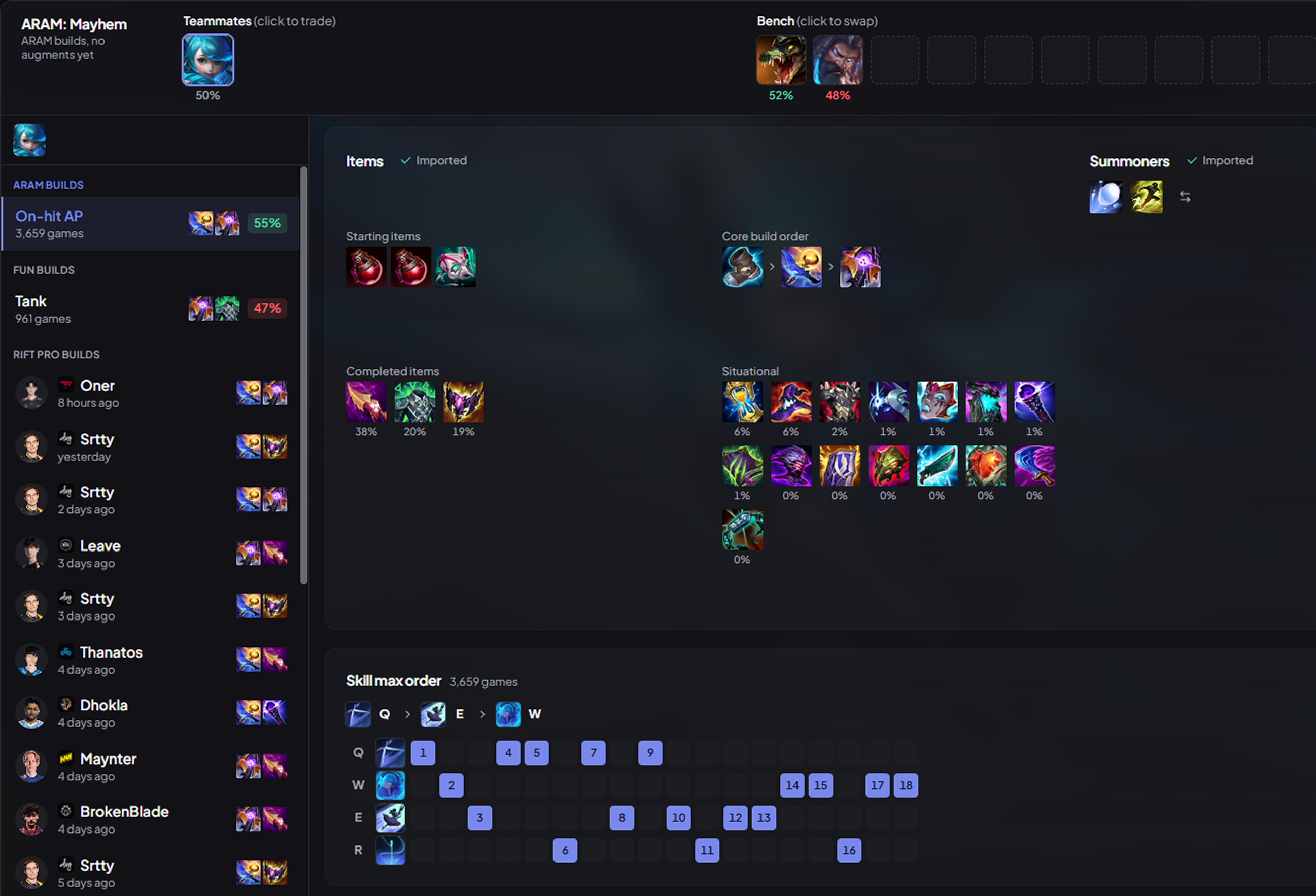
Until now, the draft only followed you on Summoner's Rift. With 1.8.3 it covers ARAM, ARAM: Mayhem and Swiftplay.

ARAM and Mayhem

Champion select on the Howling Abyss gets its own screen. Your teammates and the bench sit at the top: one click trades with a teammate or takes a champion from the bench, and each one shows its ARAM winrate so you know what you are taking before you take it.

The ARAM: Mayhem champion selectTeammates and bench on top, the ARAM build below.

The builds come from ARAM games, not the Rift: runes, summoners, items and skill order, imported into the client as soon as your champion lands. Swap for another one from the bench and its build follows. In Mayhem, where augments replace runes, the page drops the rune board and gives the whole space to your items.

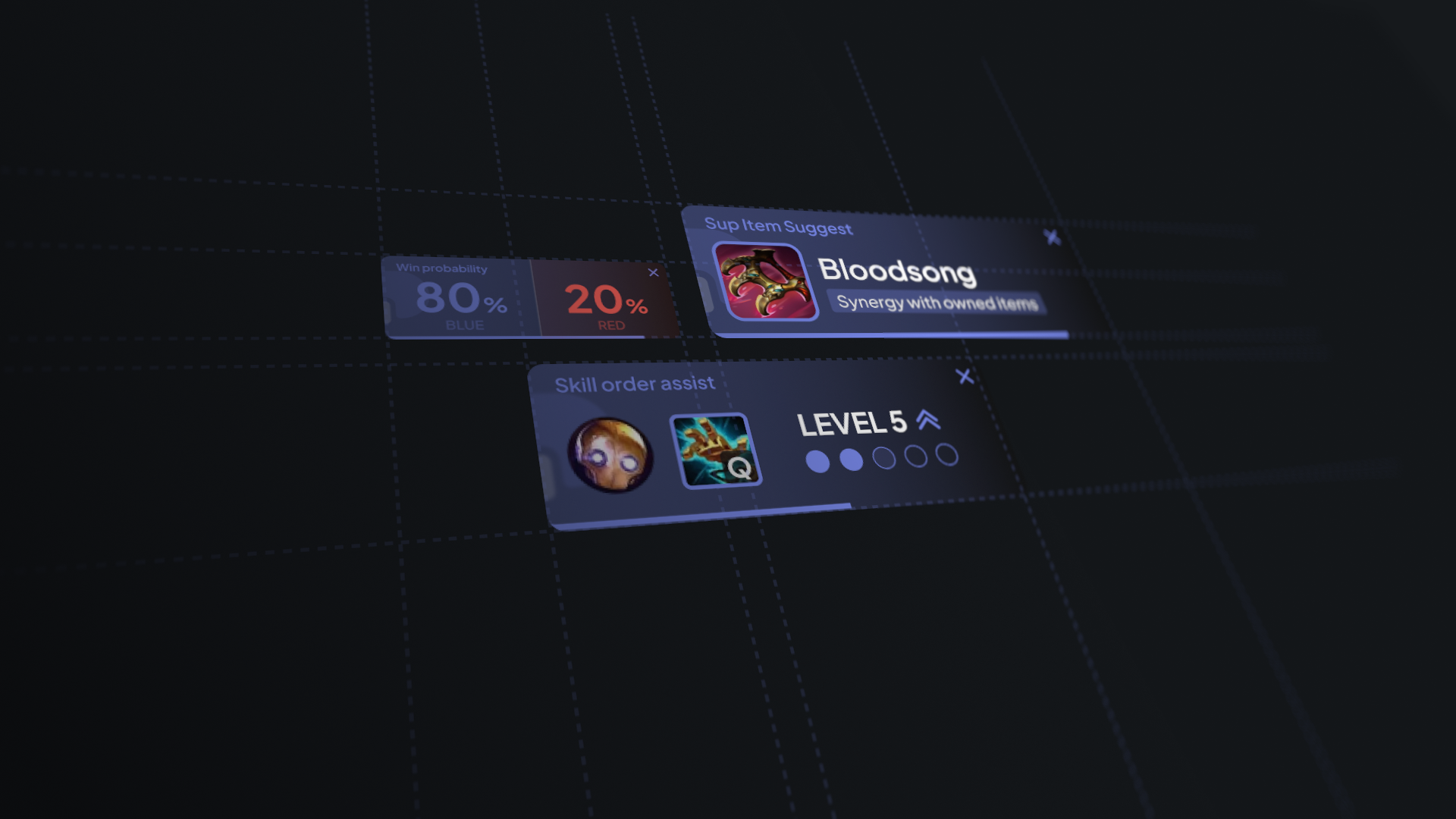
Augments are on their way. We are working on augment recommendations for Mayhem and Arena: they should land in the app within a month.

Pro builds are still there when you want them: pros barely play ARAM, so they are read from their Rift games, with the ARAM summoners.

Fun builds

ARAM is where you try things. Under the usual builds, a Fun builds section suggests another way to play your champion: AP Thresh, AD Teemo, tank Ezreal… Each one is a style your champion's meta does not play, drawn from games where it actually worked. They are never imported on their own: you pick one when you feel like it.

Swiftplay

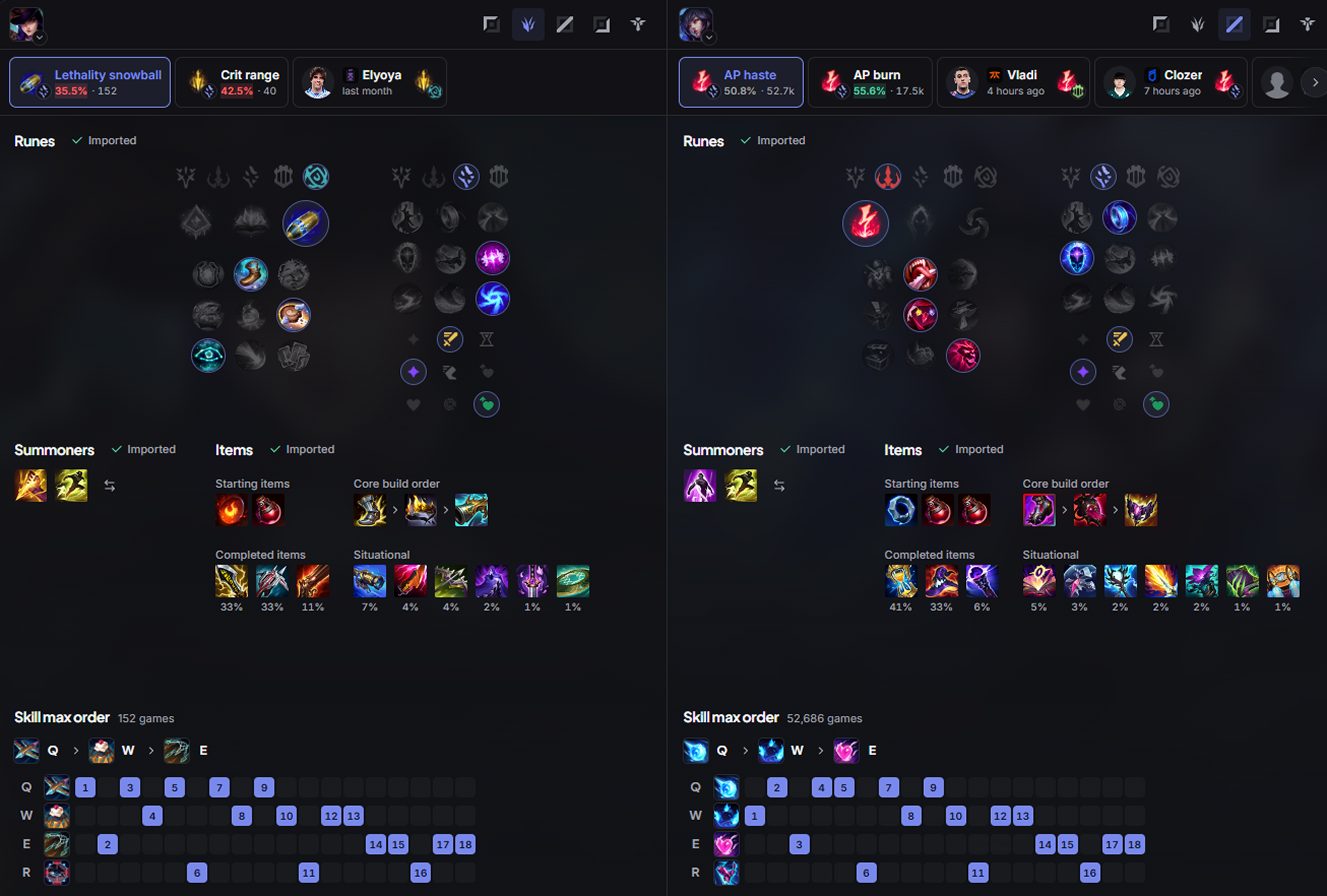
In a Swiftplay lobby, you pick two champions before the queue. The app now shows a build for each of them, side by side, and sends both to the client: runes, summoners and items, ready before the game even starts.

Swiftplay builds for both championsOne column per champion, each with its own builds.

Your build, first in the shop

The item set DPM imports now opens first in the in-game shop, ahead of every other app's set, instead of sitting at the bottom of the list. Imported rune pages and item sets are named DPM: …, so you can spot them at a glance.

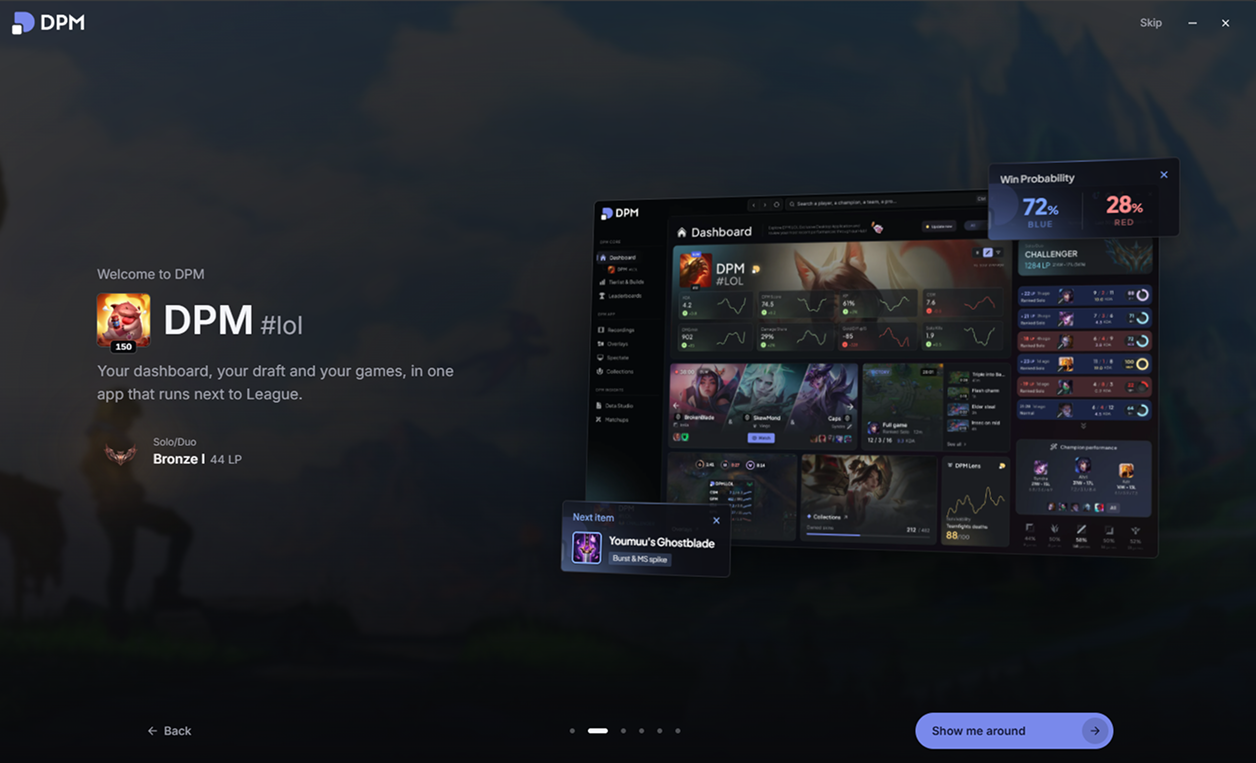
A welcome for first launch

The first time you open the app, a short onboarding sets it up with you: your language, what the app does, how your overlays look in game (style and background opacity, previewed on the real overlays), and whether to record your games and in which quality. Everything you choose there is a real setting, and you can change it any time.

The first-launch onboardingYour account, and a first look at the app.

Fixes & improvements

  • FixedLeague no longer steals the front during champion select: after a pick, a bench swap or a build import from DPM, the app takes its place back. Behind the "Take the focus back after a pick or ban" setting.
  • FixedJungle and objective alerts show whole seconds instead of timers like "14.3666s".
  • FixedThe clip notification no longer reads "0:60" on a clip that is just under a minute.
  • ImprovedChanging a setting no longer reloads the whole app, which made the settings and the onboarding stutter.
  • ImprovedApp optimizations and lower CPU usage, especially on the dashboard.
  • ImprovedThe live game panels get new badges, detect premades, and no longer show the same champion twice when a player is on an anonymous account.
September 16, 2026
Objectives at a glance, and lighter overlays

Objectives at a glance, and lighter overlays

Desktop app

Available in v1.8.0

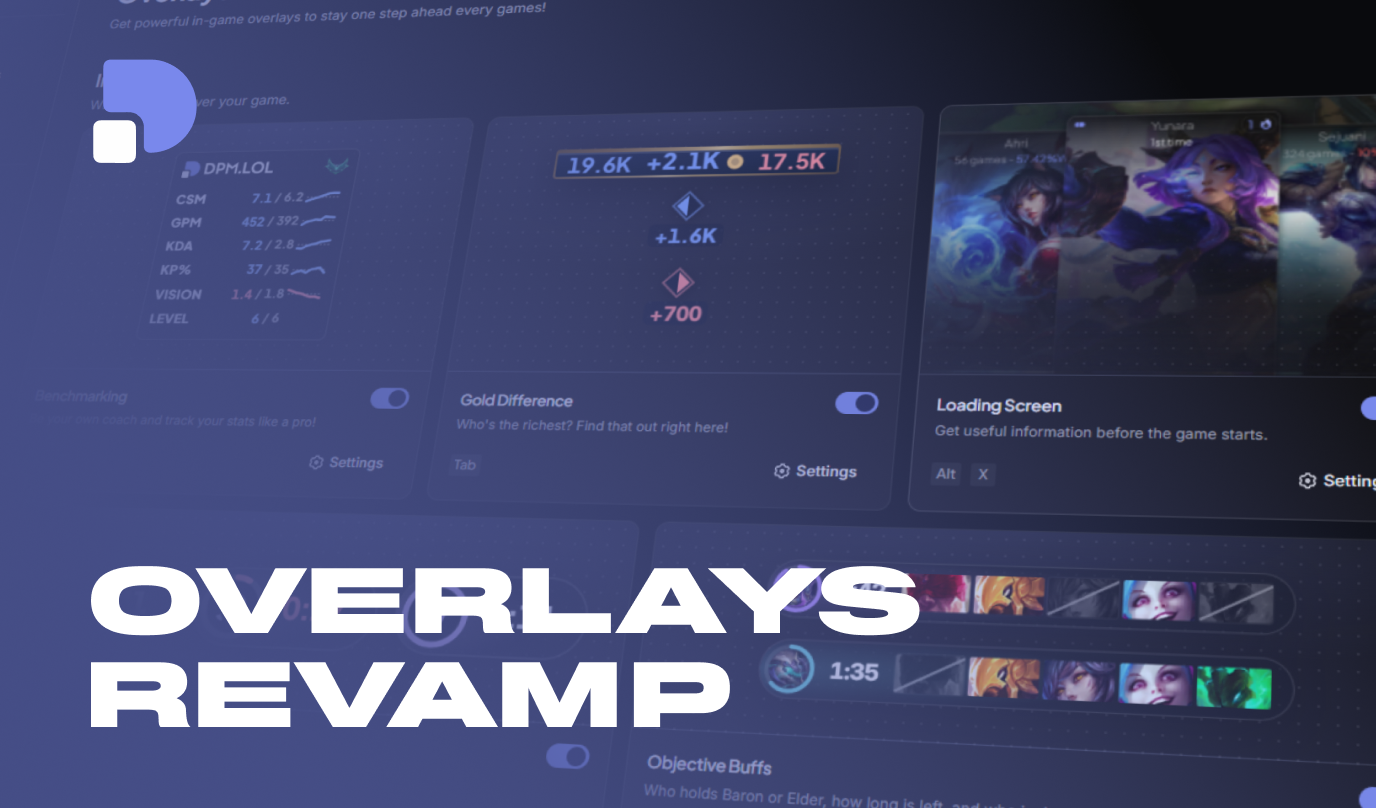
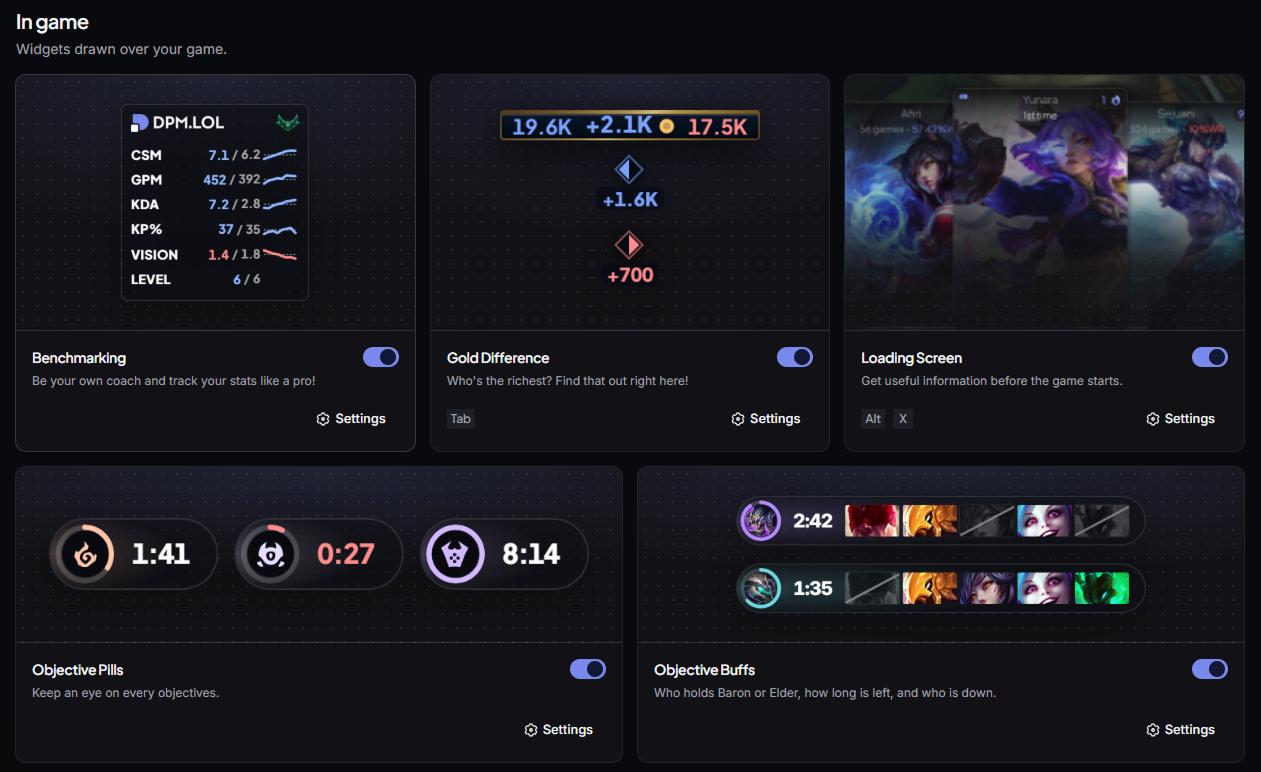
1.7.0 was the replay patch. 1.8.0 is the overlays patch: two new panels so you never miss an objective again, and a redesign of the ones you already had.

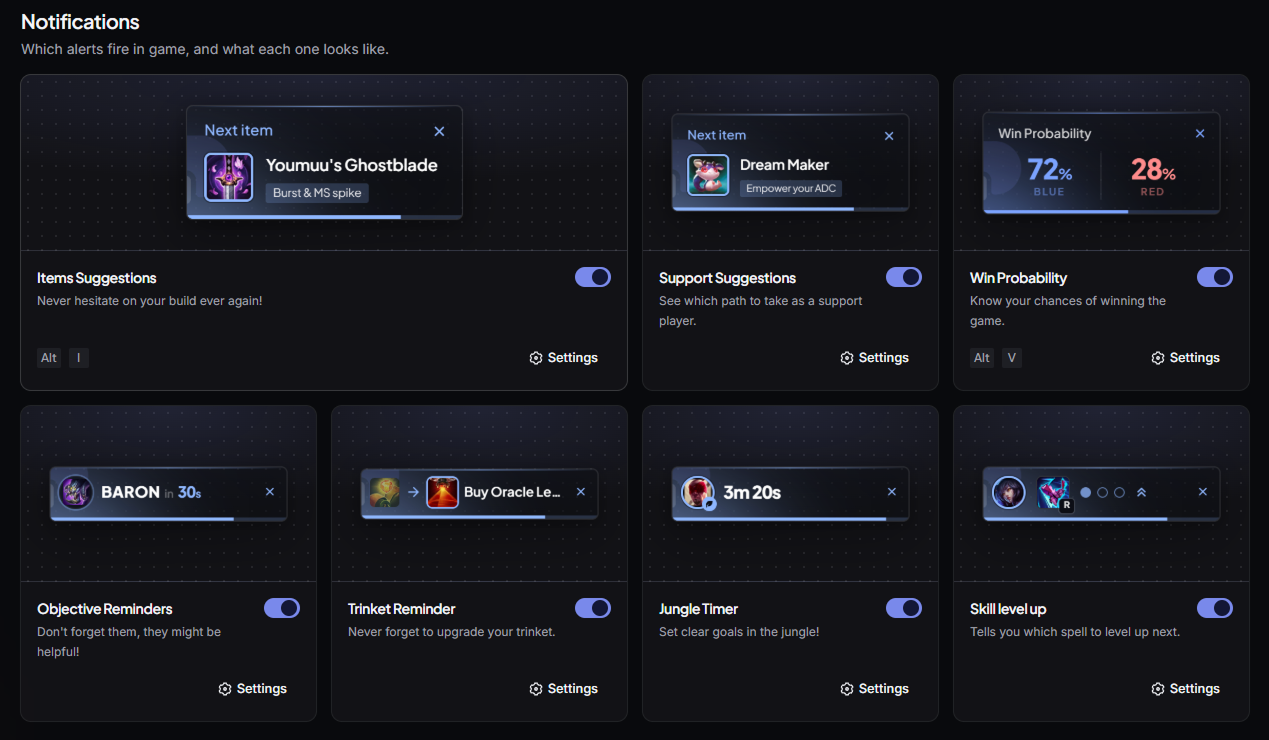
The Overlays page of the appThe five in-game overlays, each with its preview.

Objective timers

A new overlay shows the next spawns as pills: Dragon, Grubs, Herald, Baron and Elder. Each pill appears a few minutes before the spawn (5 by default, adjustable), or stays on screen all game long if you prefer to keep every timer in sight.

The objective timers in game

You pick which objectives are tracked, and you can tint each pill with its objective's colour to tell them apart at a glance.

Objective buffs

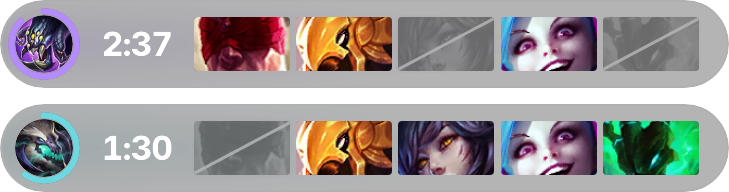
The second overlay answers the question everyone asks after a Baron: who has the buff, for how long, and who is dead? For Baron and Elder, on both teams. A player who was dead when the objective fell does not have the buff, and the overlay knows it.

The Baron and Elder buffs

It is off by default: turn it on in the settings, and choose which buffs and which teams it follows.

Gold difference, redrawn

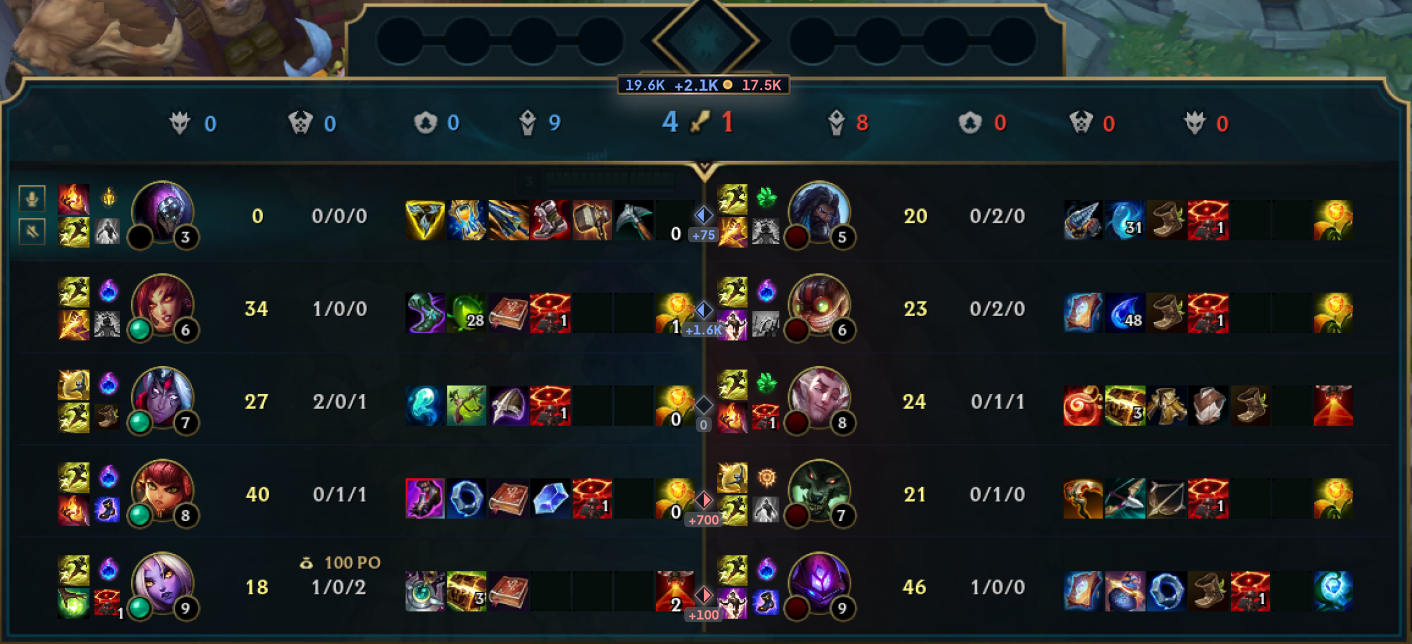
The gold difference overlay has been redesigned. The two team totals become a bar that sits right on the client's scoreboard, and every row of the board gets its own marker: one look and you know who is winning their lane, and by how much.

The gold difference over the scoreboardThe totals on top, and each lane's lead on its row.

The per-lane markers can be turned off if you only want the totals.

One look for every overlay

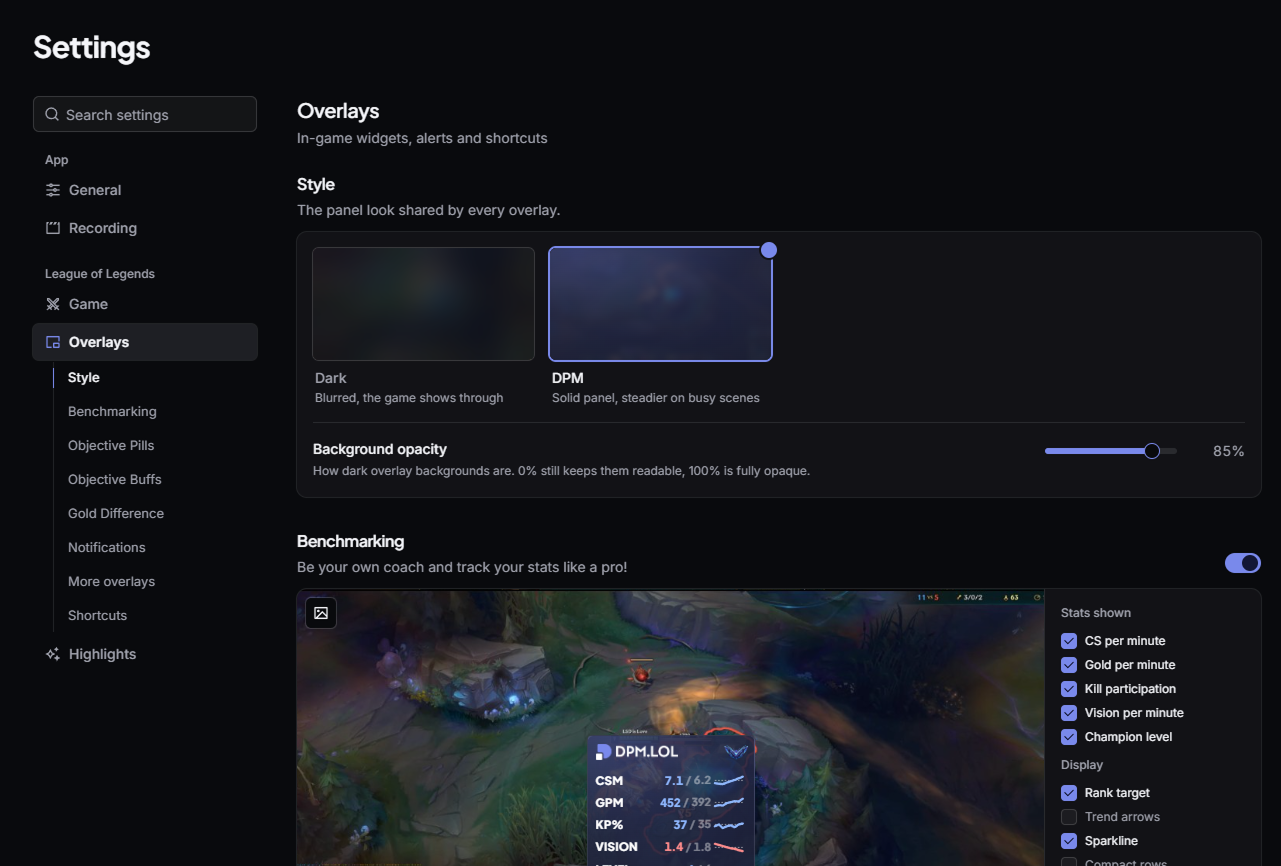
All the panels now share the same appearance, and you set it in one place:

  • Dark, blurred, the game shows through.
  • DPM, a solid panel, easier to read on busy scenes.

Plus a background opacity slider, from 0 to 100%.

The objective timers in the Dark style

The overlay settings have their own screen, with a preview of each panel that updates as you change an option. The benchmark gets its own display options: rank target, trend arrows, sparkline and compact rows. Notifications no longer pick a side but a stack direction, downwards or upwards.

The style and background opacity settings

The in-game alertsEvery alert, redrawn in the shared style.

Your replay tells you when it's ready

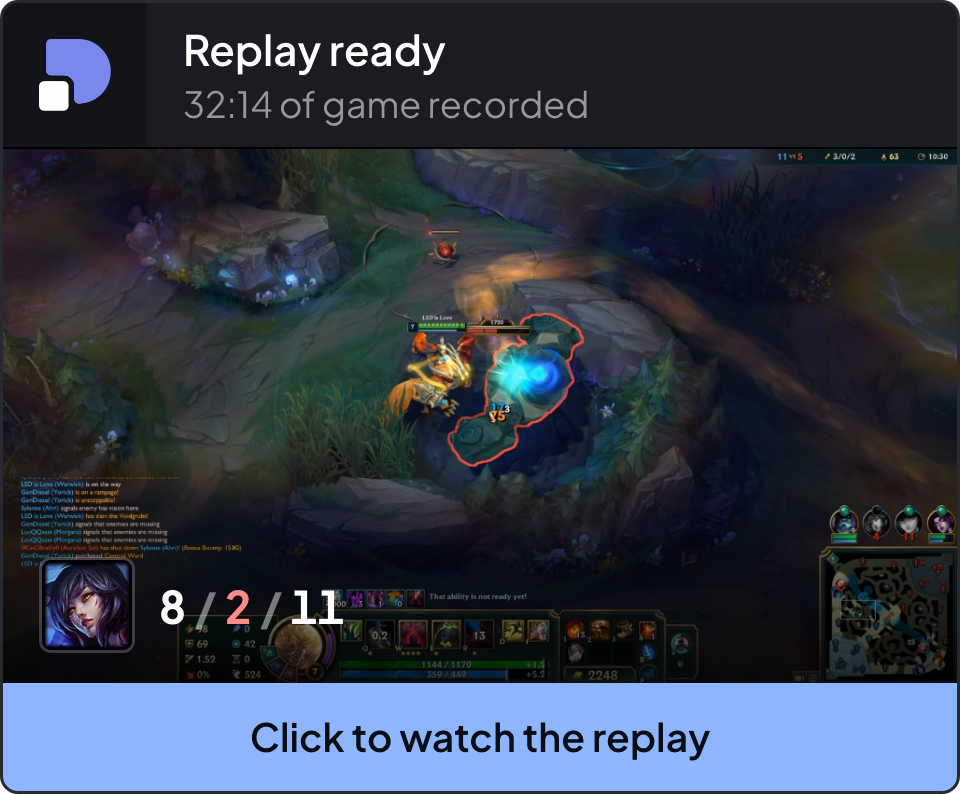
Until now, you had to open the app to check whether your recorded game was available. Now a notification shows up in the top-left corner of your screen, outside the in-game overlays: as soon as the replay is assembled, a card shows you a preview of the game, your champion and your score, and one click opens the replay.

The replay ready notification

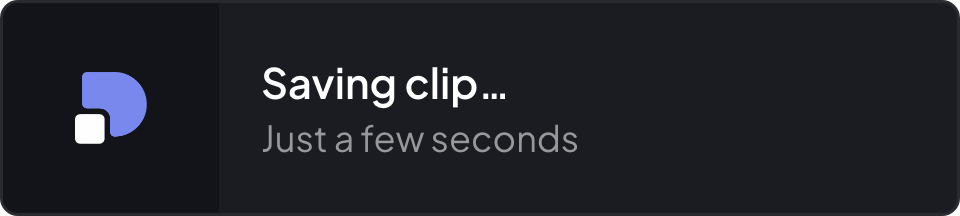
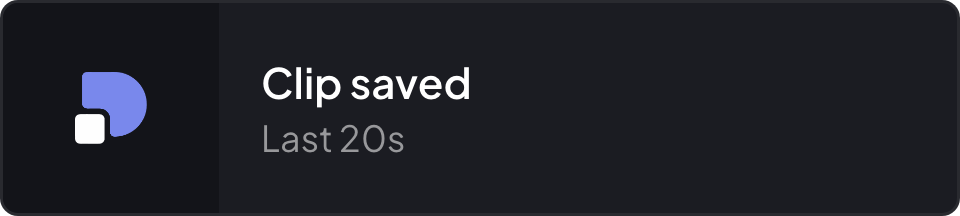
Clips go through the same notification: it appears the instant you press the hotkey, then turns into the confirmation once the clip is on disk, with its length. A clip you saved yourself also plays a short sound, with its volume adjustable in the recording settings. Auto clips stay silent.

Clip being savedClip saved

In exclusive fullscreen, the notification cannot sit over the game without kicking it out of fullscreen: it goes through the in-game alert stack instead.

Matchup selection is back

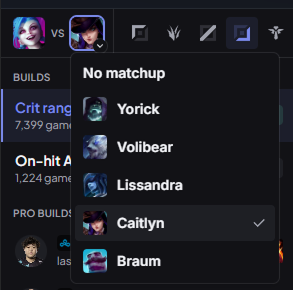
You missed it, it's back. By default, the draft suggests the tierlist build: the one that wins the most on your champion, against every opponent. When you want something tailored, one click on the champion across from you is enough and the builds are read against them: your direct opponent is offered first, but any enemy champion will do.

Picking the matchup in the draft

And if you always want to play against the matchup, an option in the settings automatically takes the builds against your direct opponent, without a single click.

Draft

  • FixedThe lock button only shows when it is actually your turn.
  • FixedThe draft radar no longer overflows, and the damage axes have clearer names.

Fixes & improvements

  • NewThe Overlays page shows a preview of every widget, with its toggle and its shortcut.
  • NewThe settings list the sections of the open panel in the sidebar, so you can jump straight to the right one.
  • NewA button in the general settings exports the DPM and League logs as a zip, to help us understand a problem.
  • FixedAn error in the app shows a recovery screen instead of a blank window.
  • FixedThe draft no longer pulls you back to champion select on every update.
  • FixedThe DPM item set is ranked first in the shop.
  • FixedUpgraded boots and support quest items count as owned, and item and trinket alerts no longer fire twice.
  • ImprovedThe dashboard got a polish pass: match history columns line up, the profile background no longer disappears when the splash is missing, and champion cards no longer open on a quick mouse sweep.
  • NewYour profile is one click away from the sidebar, right under the dashboard.
  • ImprovedThe live games list stays smooth even with a hundred games shown, and its filter bar stays pinned to the top.
  • FixedThe website no longer flashes for a split second when the app reloads.
  • FixedThe "All" queue filter no longer gets stuck after a reload.
  • FixedThe "Preparing your replay…" card is back while a game is being assembled, and the Recordings page loses its beta badge.
  • FixedSpectate launches through the League client, waits for the stream before opening the game, and works across regions (1.7.2 and 1.7.3).
  • FixedWith rune auto-import on, every edit is re-imported, and the health shard icons are no longer swapped.
  • FixedThe end of game screen shows LP instead of the division for Master and above.

Web

  • ImprovedThe tierlist loads faster, and its data refreshes every hour.
  • ImprovedThe builds banrate is aligned with the studio, and the graphs show up faster.
  • FixedThe add and remove player buttons are visible on mobile leaderboards.
August 31, 2026
Your whole game, not just the clip

Your whole game, not just the clip

Desktop app

Available in v1.7.0

It's finally here: The Replay! A feature the community had asked for and we had promised you for a long time now. A little sneak peek was already included in the "Coming Next" for patch 1.6.0, yet we had already worked on the feature long before that. We know it took its time...

But it's finally here!

Before, the app only kept the last two minutes: either you hit the hotkey at the right time, or your penta never existed. Now it keeps the whole game, and you cut whatever you want out of it, whenever you want.

Recording a whole game

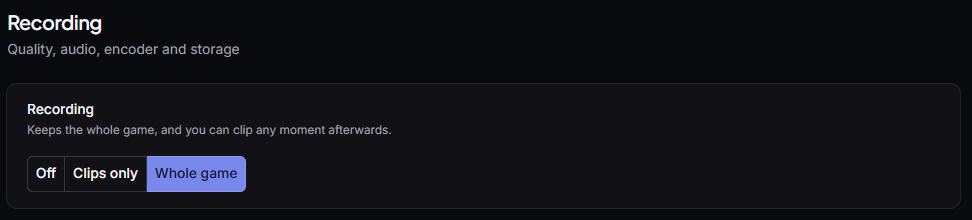
In the settings, recording has three positions: Off, Clips (as before) or Whole game.

The recording setting, in three positionsOff, Clips, or the whole game.

On "Whole game", the match is recorded from start to finish. When it ends, the video shows up in your library with its thumbnail. The clip hotkey keeps working the whole time.

The default is 1080p30, which is about 3.9 GB for a 45 minute game. The app keeps 3 games or 50 GB at most, then deletes the oldest. All of it is adjustable.

Your best moments: highlighted for you!

The app now analyses your games automatically in the background, and shows you exactly where you did something clip-worthy: First Blood, Triple Kill, Quadra, Penta, Ace, Baron stolen, Dragon stolen... all your best of the best!

It gives them back to you two ways:

  • In the replay, as suggested clips. You preview, you adjust the start and the end, you keep it.
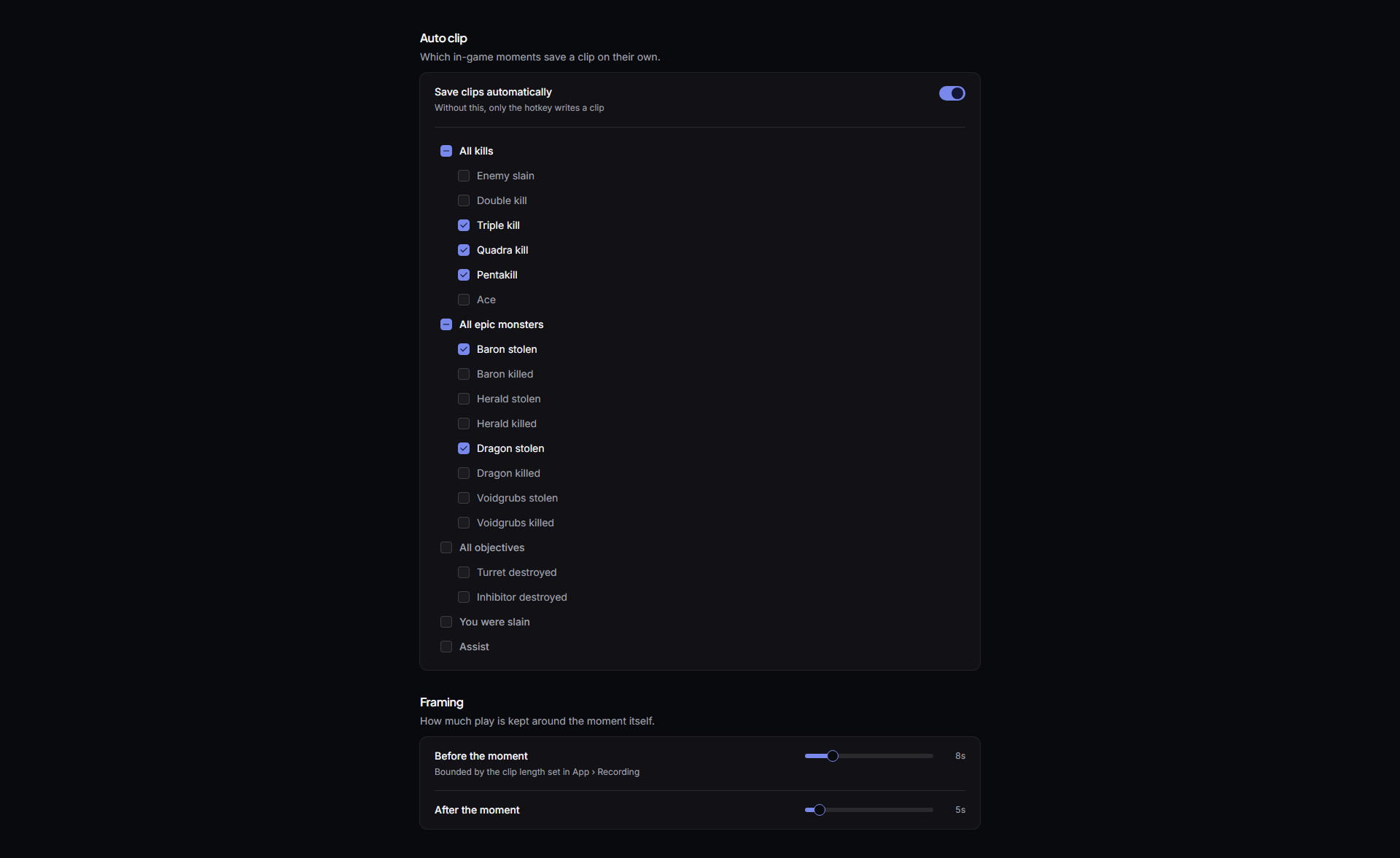
  • During the game, with auto clip: moments are clipped on their own while you play. It is off by default, and you turn it on in the settings (the six most interesting moments are already ticked).

The auto clip settingsYou tick what saves a clip, and how much play to keep around it.

A moment you have already clipped is not offered again.

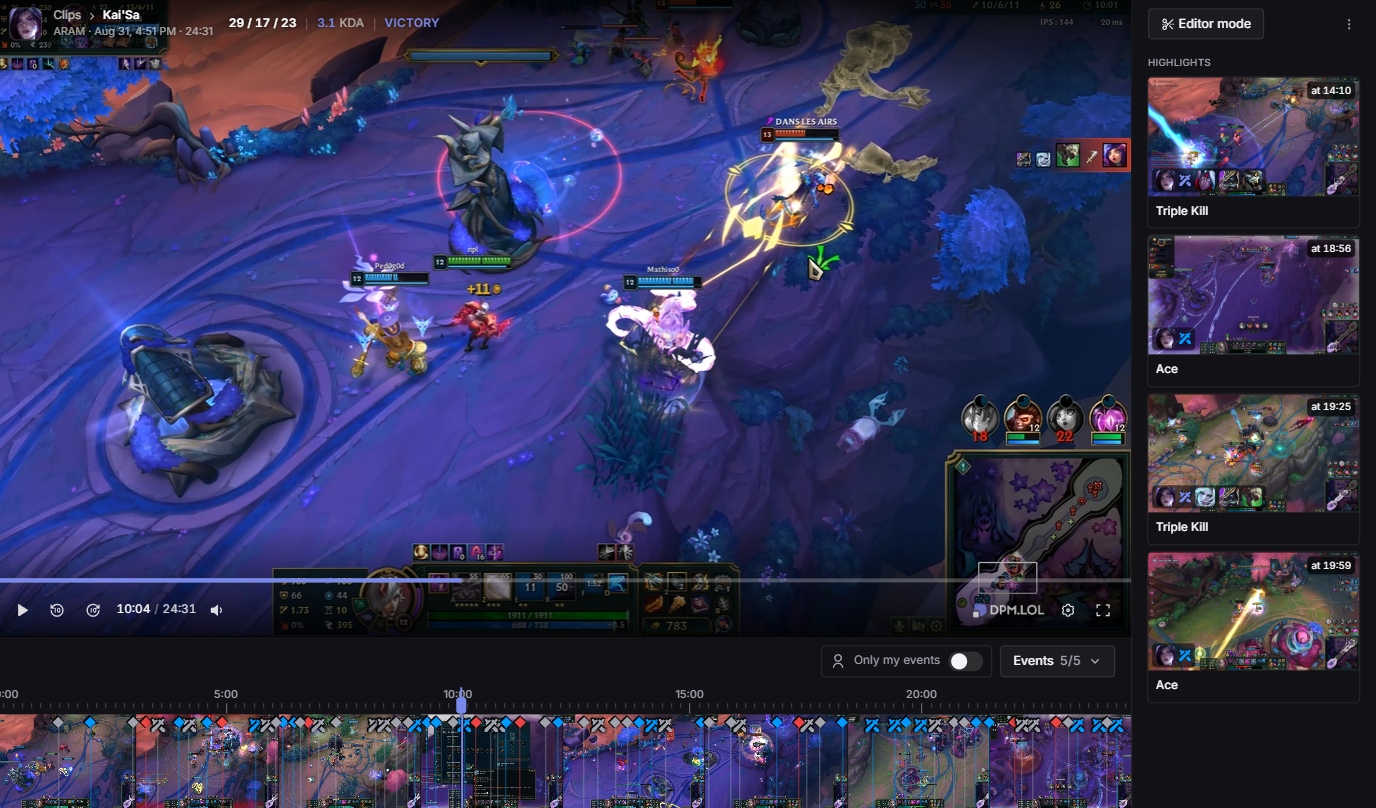
The player

The replay opens with your moments listed next to the video. One click and you are there.

The replay player, with the moments listed on the rightYour moments beside the video, in game order.

Under the video is a timeline with your APM* and every event of the game. You can show only your own, change the playback speed, and cut a clip from a suggested moment or from the exact spot where you paused.

The replay timeline, with its event filtersEvery event of the game on the timeline, filterable.

* APM is still in testing, and is only measured on Summoner's Rift for now: Ranked, Swiftplay, Flex and the other Rift queues. More game modes to come.

The volume you set is remembered for next time.

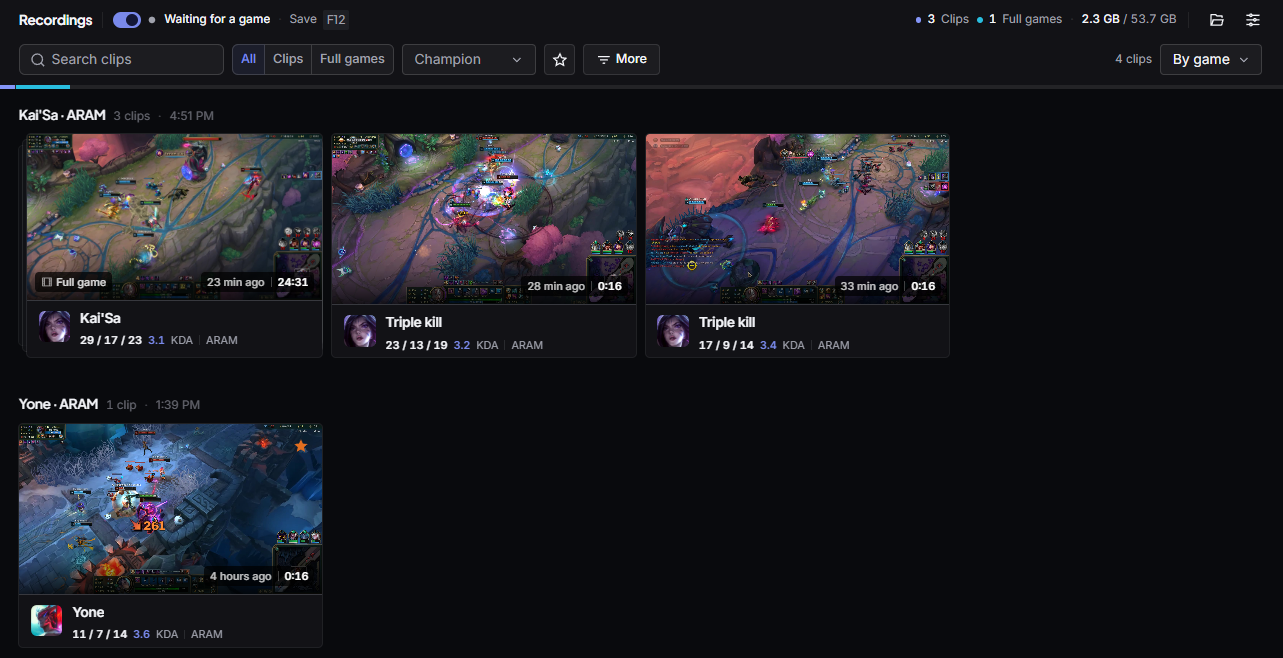
One library

Clips and full games now live on the same page, Recordings. Filters by type, date and length, renaming, and a gauge showing how much disk is taken.

The Recordings pageClips and full games, in the same grid.

Star a recording and it is never deleted automatically, even when the app makes room.

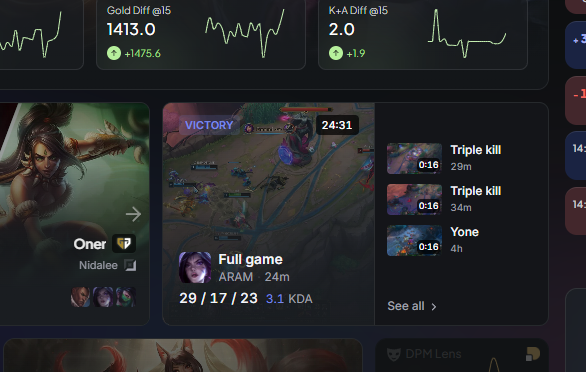
You can also start and stop recording from that page, and the dashboard shows your last recorded game.

The last recorded game on the dashboardYour last game, right on the dashboard.

Fixes & improvements

  • ImprovedThe video no longer drifts out of sync on long games
  • ImprovedThe replay is ready twice as fast after the game ends
  • NewA hardware acceleration setting, for graphics cards that show black or flickering overlays
  • FixedA capture problem mid game no longer stops the recording
  • FixedTear items (Muramana, Seraph's Embrace, Fimbulwinter, Diadem of Songs) now import into the client as their buyable form, instead of being skipped
  • NewArena has its own end of game screen, and shows up in match history

Web

  • NewPatch 16.17
  • ImprovedProfiles with a lot of games load faster
  • FixedLeaderboard Discord notifications were sent twice
  • FixedLevel and icon stayed stuck on accounts that only played ARAM Mayhem
  • FixedSome pro and streamer profiles would not display
August 19, 2026
The App, rebuilt

The App, rebuilt

Desktop app

Available in v1.6.0

Every screen of the App has been redrawn on a new design system. Same features, but denser where it matters, calmer everywhere else, and finally consistent from champion select to your clips library. Below are the parts worth opening the App for.

Champion select, from ban to build

The draft is now one continuous flow. Bans and picks land live as they happen, each turn shows the clock that is actually running, and locked cards can be dragged onto another seat when someone swaps lane, so the suggestions recompute against the real matchup instead of the one the client reported.

Bans, picks, lock in, and straight into the build.

The suggestion panel sits next to the draft with the filters you actually use: minimum mastery, your champion pool, off-meta on or off, plus a search when you already know what you want. Team comparison keeps the AD/AP split and the overall matchup readable at a glance.

Lock in and you land directly on the build page: runes, item plan, skill max order and summoner spells, with pro builds listed alongside the community ones. Runes, items and summoners each import on their own, and the runes stay editable in place, with a reset back to the original build when you go too far.

Post-game, properly

Match review is no longer one long table. It is four views, and this is all of them.

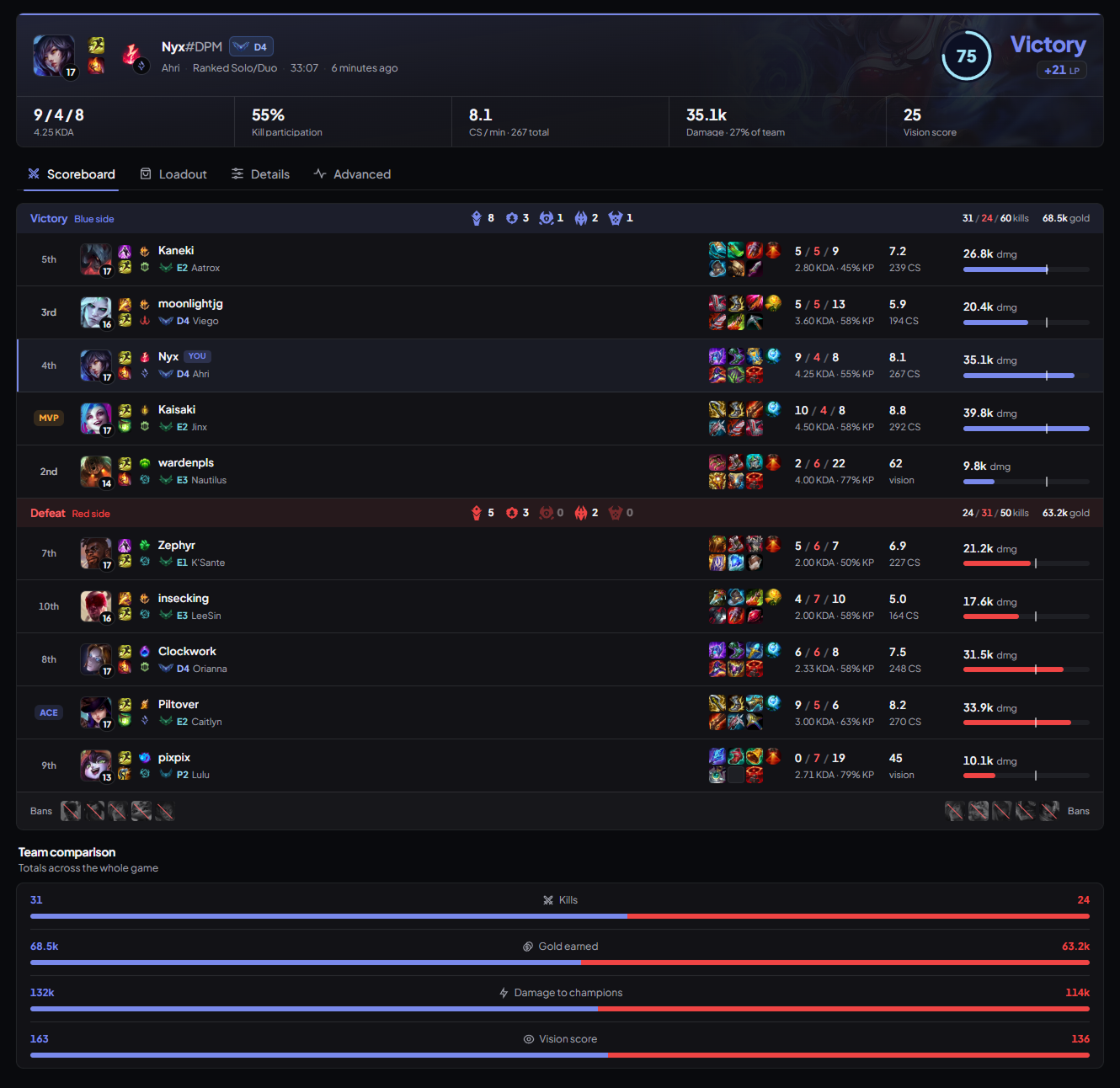
Scoreboard opens on the game as a whole: your game scored out of 100, MVP and ACE badges, every objective each side took, from void grubs to Baron, the bans, and a team comparison of kills, gold, damage and vision.

The post-game scoreboard

Clips you can skim

Finding the right clip used to mean opening them one by one. Now hover a card in the gallery and it plays, and moving across the thumbnail scrubs through the clip. You find the quadra without ever leaving the grid.

Hover to play, slide across the card to scrub.

The trimmer now opens in a modal over the gallery, with the game's objectives marked on the timeline, and the grid itself was rebuilt to stay smooth with a library of hundreds of clips.

The collection

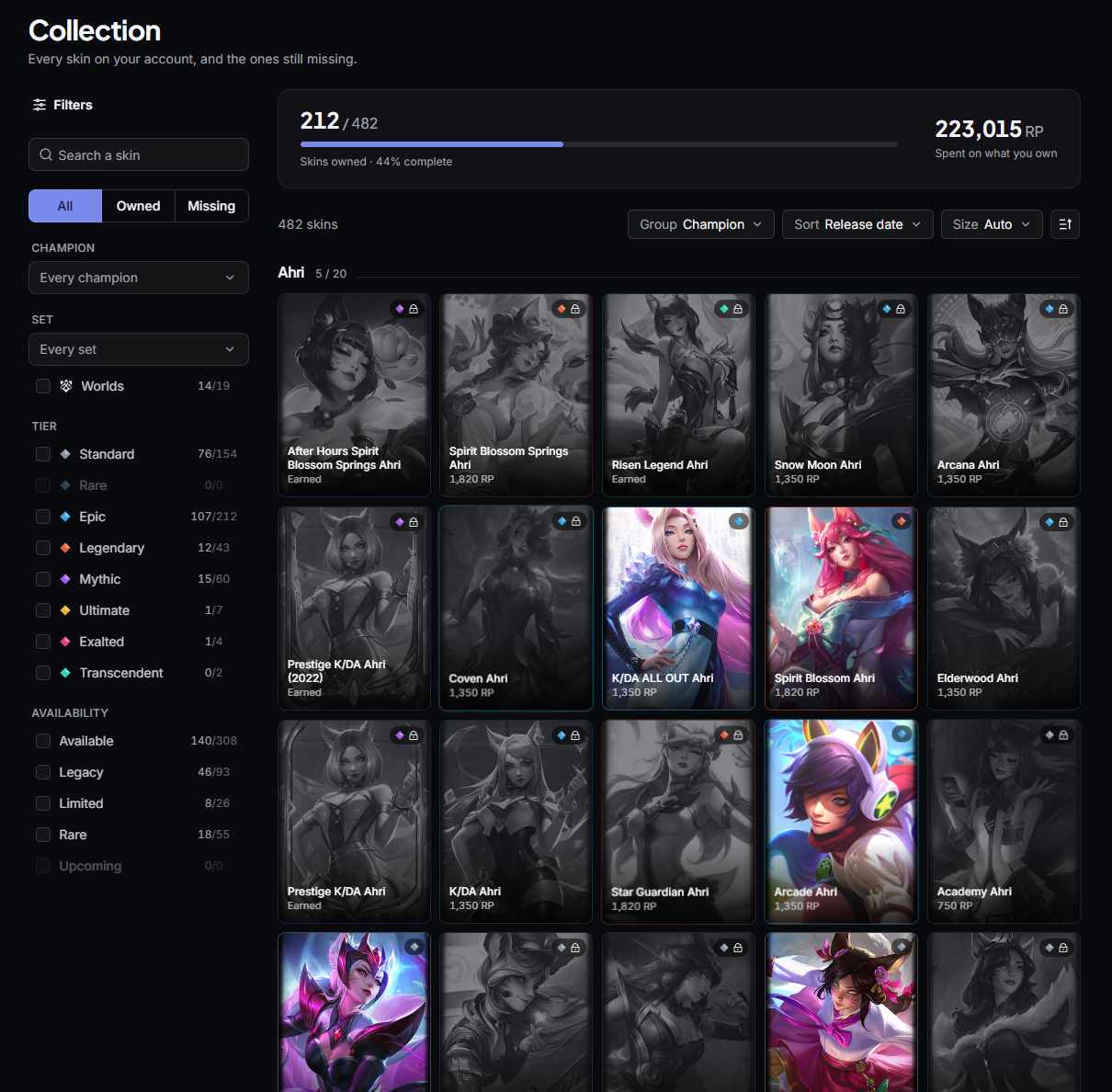
Your skins got a real page: how many you own out of every skin in the game, your completion percentage, and the RP you have spent on what you own. Filter by champion, set, tier or availability, each with its own owned/total count. Switch between All, Owned and Missing, group by champion or by set, and pick the sort and tile size. Everything you do not own stays greyed out in the grid, so what is missing reads at a glance.

The skin collectionThe collection

Settings, simple again

Settings were rebuilt from scratch. Two groups instead of a wall of panels: App (General, Recording) and League of Legends (Game, Overlays, Highlights), each one saying what it holds before you click it.

And there is now a search bar that indexes every single setting. Type "bitrate" or "hotkey" and you land on the exact row, highlighted, wherever it lives. No more hunting through five panels for the one toggle you half remember.

In your language

The App has been translated end to end, not just its menus: champion select, post-game, the clips gallery, the collection and every settings row. It now runs in French, English, Spanish, Portuguese, Italian, German and Korean, switched from Settings, General.

Fixes & improvements

  • ImprovedAudio capture moved to a native WASAPI path, for cleaner tracks and less overhead while recording
  • FixedOverlays recovering from blank windows on their own
  • FixedSlow overlay attach on borderless setups

What's next

This release is the new foundation, not the finish line. Already in the works:

  • ARAM and ARAM Mayhem, so the draft, the overlays and post-game follow you into the Howling Abyss
  • A new generation of overlays, rebuilt from the ground up
  • Overlay customisation, so you pick the style as well as the layout
  • Performance, on both the DPM client and the overlays, for a lighter footprint while you play
  • And the big one: game replays
August 7, 2026

Clips: save the play after it happened

Desktop app

Available in v1.5.1

Clips, in beta

You never know a play was worth recording until it's over. So DPM now keeps a replay buffer running while you play: press Ctrl + F10 after the fact and the last minutes of your game are saved instantly, with no re-encode and no hit on your framerate.

Clip length goes from 1 to 10 minutes (2 by default), and the buffer is opt-in: it stays off until you enable it, and even then it only runs while a League game is up. Nothing is captured outside your games.

Clips are a beta Tell us what breaks on your setup, we're listening on Discord.

The clips space

Saved clips land in a new gallery inside the App. Group them by day, by game or by champion, filter by champion, mode or plain text, and open the one you want.

Under the player sits a filmstrip spanning the whole clip, with a grip at each end: drag them, export, done. No mode to enter, no timeline editor to learn. The export re-encodes exactly the excerpt you picked, frame accurate.

Clips also remember what happened in the game. Kills, multikills, aces, dragons, Baron and towers are pinned as markers on the seek bar and on the filmstrip, so the quadra is one click away instead of a scrub away.

Recording settings

Everything is tunable from the reworked settings space: quality from 720p30 to 1440p60, H.264 or HEVC, and a hardware encoder detected on your machine (NVENC, AMF, QSV, with x264 as fallback). Advanced users can force the capture backend, pick a GPU, and set their own bitrate and framerate.

A storage gauge shows what the library weighs, with a cap you set (5 to 500 GB) so clips never quietly eat your disk. You choose the folder too.

On the audio side, system sound is captured alongside the video, your microphone can be recorded as its own track with a live level meter to test it first, and you can now pick which applications land in the clip. Tracks are kept separate until export and mixed at save time, so nothing is baked in: turn Discord down after the fact, or drop it entirely.

Fixes & improvements

  • ImprovedLive card gets a drag handle, clearer click affordances, and opens profiles straight in the main window
  • FixedOverlays missing on high-resolution, multi-monitor and HDR setups
  • FixedInjector bitness detection blocked by anti-cheat, with a complete 64-bit fallback
  • FixedOverlays going blank after a resolution change, or not surviving past the first game of a session
  • FixedCrash at Windows scaling above 100%, and fps drops during overlay notification animations
  • FixedStartup display choice not surviving a reboot

Web

Interface

The tierlist got the harmonization pass: filters folded into the card, restyled table, and rebuilt rank, timeframe and platform selectors. The home tierlist widget now lists champions in lane order. Static data and selectors are up to date with patch 16.15.1.

Fixes & improvements

  • ImprovedLeaderboard headers now show which column you're sorting on
  • FixedPlayer stats mixing regions, and ranks sticking around after a transfer
  • FixedChampion pool forcing off-meta picks to show
July 4, 2026
Customizable overlays & multi-resolution support

Customizable overlays & multi-resolution support

Desktop app

Available in v1.4.0

You can now drag and drop players between roles directly in the live game overlay. Got auto-filled? Swapped lanes in champ select? Reassign roles with a drag, and draft suggestions instantly recompute against the corrected matchups. No more advice for a mid lane you're not playing.

Overlay Editor

Meet the Editor, a new in-game overlay that lets you make the others truly yours. Move every overlay exactly where you want it, resize it to taste, and build the layout that fits your game. Open it with Alt + B, or bind it to whatever shortcut feels right.

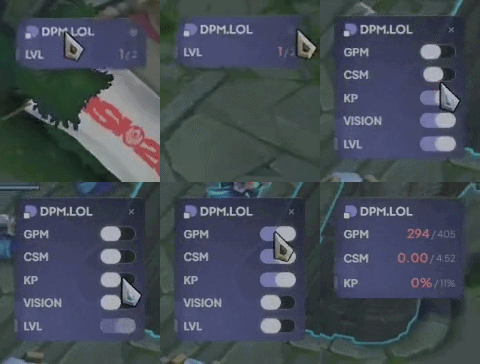
The benchmark overlay gets in on the customization too: pick exactly which stats you want on screen (CS/min, vision score, and more) and toggle off the rest. Just keep at least one enabled; an empty benchmark would be a sad benchmark.

Benchmark overlay customization

Overlays also now support every resolution and follow your screen size: from a 1366×768 laptop to an ultrawide, they always render at the right scale.

And we're not stopping there: we're working on letting you choose your overlay style, so they match your vibe as well as your layout. Coming very soon.

Smarter draft model

Our draft AI model got a fresh update, retrained on the latest patches with an improved champion encoder. Picks, counters, and role predictions are sharper across the board. Champ select advice you can actually trust.

Quality of life

We added a tray option: enable it and closing the window keeps DPM running quietly in the system tray, ready the moment your game starts.

Speaking of settings, we reworked the whole settings space to make room for what's coming next, starting with the clip features on the way.

The reworked settings spaceThe new settings space, with room to grow.

Fixes & improvements

  • ImprovedOverlay hotkeys now support layout-specific keys: AZERTY players can finally bind ²
  • ImprovedPro builds are completed with the pro's real items, without duplicates
  • FixedSuggested rune pages can no longer pick two secondary runes from the same row
  • FixedGold diff not displaying in the overlay
  • FixedOverlays rendering way too small on some setups

Web

We kicked off a site-wide interface harmonization: expect UI refreshes rolling out page after page, so the whole site feels like one consistent product.

We also now collect Ranked 5s (5v5 premade) games, and a few things built on top of that queue are coming very soon.

Fixes & improvements

  • ImprovedSummoner spells in builds are now sorted by pickrate
  • ImprovedPeak elo now updates right after your games: hit a new peak, see it immediately on your profile
  • FixedCrash on live game pages when a player's runes weren't available yet
DPM.LOL
Explore
  • Tierlist & Builds
  • Leaderboards
  • Matchups
  • Data Studio
  • Team SoloQ
  • Esports
Product
  • Premium
  • Roadmap
  • ChangelogNEW!
  • Advertise with us
Support
  • FAQ
  • Contact
  • Privacy
  • Terms of Service
  • Legal
Community
DPM.LOL
© 2026 DPM.LOL — All rights reserved.
Terms of ServicePrivacy Policy